01Theme system
Black Atom
Hand-crafted colour schemes, generated from one source for every tool you use.
02
Written once
Every theme is one definition. A ramp of primaries and a few accents go in, the generator derives the rest, and every tool gets a file in its own format. Change the definition and every tool changes with it.
1 · Definition
Primaries and accents
Twelve steps from dark to light, plus up to four accents. That is all a theme author picks.
2 · Tokens
UI, syntax, palette, feedback
ui.bg.panelui.fg.accentsyntax.keywordsyntax.stringpalette.redfeedback.warning
3 · Tools
One file per tool
ghosttyweztermtmuxherdrnvimzedobsidianlazygitdeltatuicrclaude-codekaginiriwaybar
Generated files are committed, so every one is readable on GitHub before you use it.
03
Themes
33 themes · 7 collectionsEach card shows the theme in its own colours. Wear one to see the whole site in it, or open its documentation.
TERRA
Four seasons, each in dark and light.
JPN
Soft and desaturated, after Japanese colour.
Minium
Neutral greys with an orange accent.
04
In your tools
14 adapters · Livery switches 10| Tool | Kind | By hand | Livery |
|---|---|---|---|
| ghostty | terminal | Copy the .conf, set theme = | switches |
| wezterm | terminal | Copy the .toml, set color_scheme | by hand |
| tmux | multiplexer | source-file the .conf | switches |
| herdr | agent multiplexer | Paste the colour block | switches |
| nvim | editor | Add to runtimepath, :colorscheme | switches |
| zed | editor | Copy the .json, set theme | switches |
| obsidian | notes | Copy into .obsidian/themes | switches |
| lazygit | git TUI | Merge gui.theme into config.yml | switches |
| delta | git pager | Include the .gitconfig | switches |
| tuicr | review TUI | Copy themes, set theme = | switches |
| claude-code | coding agent | Copy the .json, pick with /theme | switches |
| kagi | search | Paste into custom CSS | by hand |
| niri | compositor | include the .kdl | by hand |
| waybar | status bar | @import the colours | by hand |
05
Livery
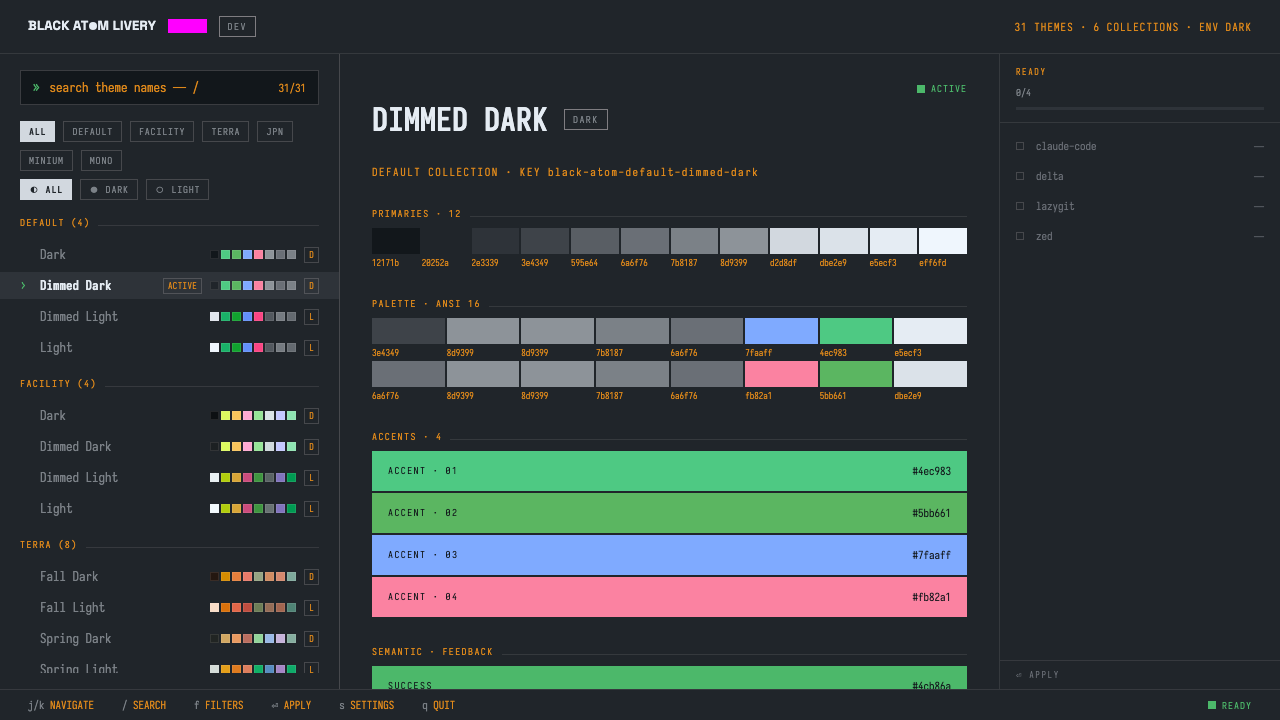
Changing your theme tool by tool gets old fast. Livery is the desktop app that does it in one go: pick a theme and every supported tool on your machine follows, along with your system appearance. If you'd rather stay in the terminal, there's a livery command too.
06
Install
Every folder in adapters/ has the generated filesand a short README on hooking that tool up by hand.Works on any OS. No install needed.